Windows
Windows 10 and 11, 64-bit. Installer per user, no admin rights required.
TickHosting Desktop turns your computer into a proper server panel: pick a version, click create, and you get a live console, plugins and mods, scheduled restarts, backups and a public address your friends can join — no port forwarding, no router settings.
Every build comes from the same signed release pipeline. The app checks for updates on launch and installs them for you, so this is the only time you have to do this manually.
Windows 10 and 11, 64-bit. Installer per user, no admin rights required.
x86-64. AppImage runs anywhere; .deb and .rpm integrate with your package manager.
The macOS build is next in line: the app already targets .dmg, it just isn't published yet.
The same tools you use on a hosted TickHosting server, running against the Minecraft server on your own machine.
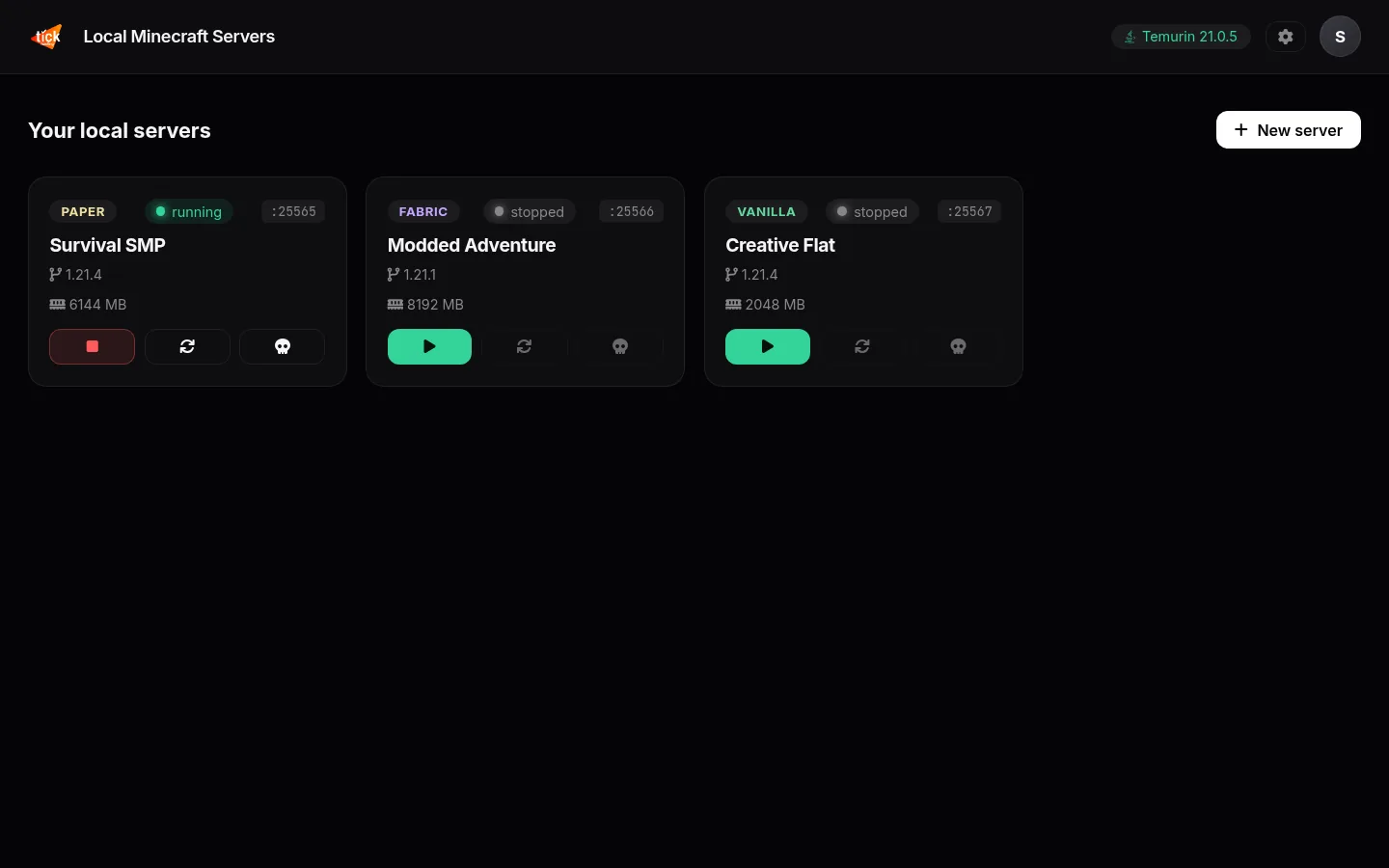
Every server is its own folder, its own port and its own RAM budget. Start, restart or kill any of them from one place, and see at a glance which ones are online.
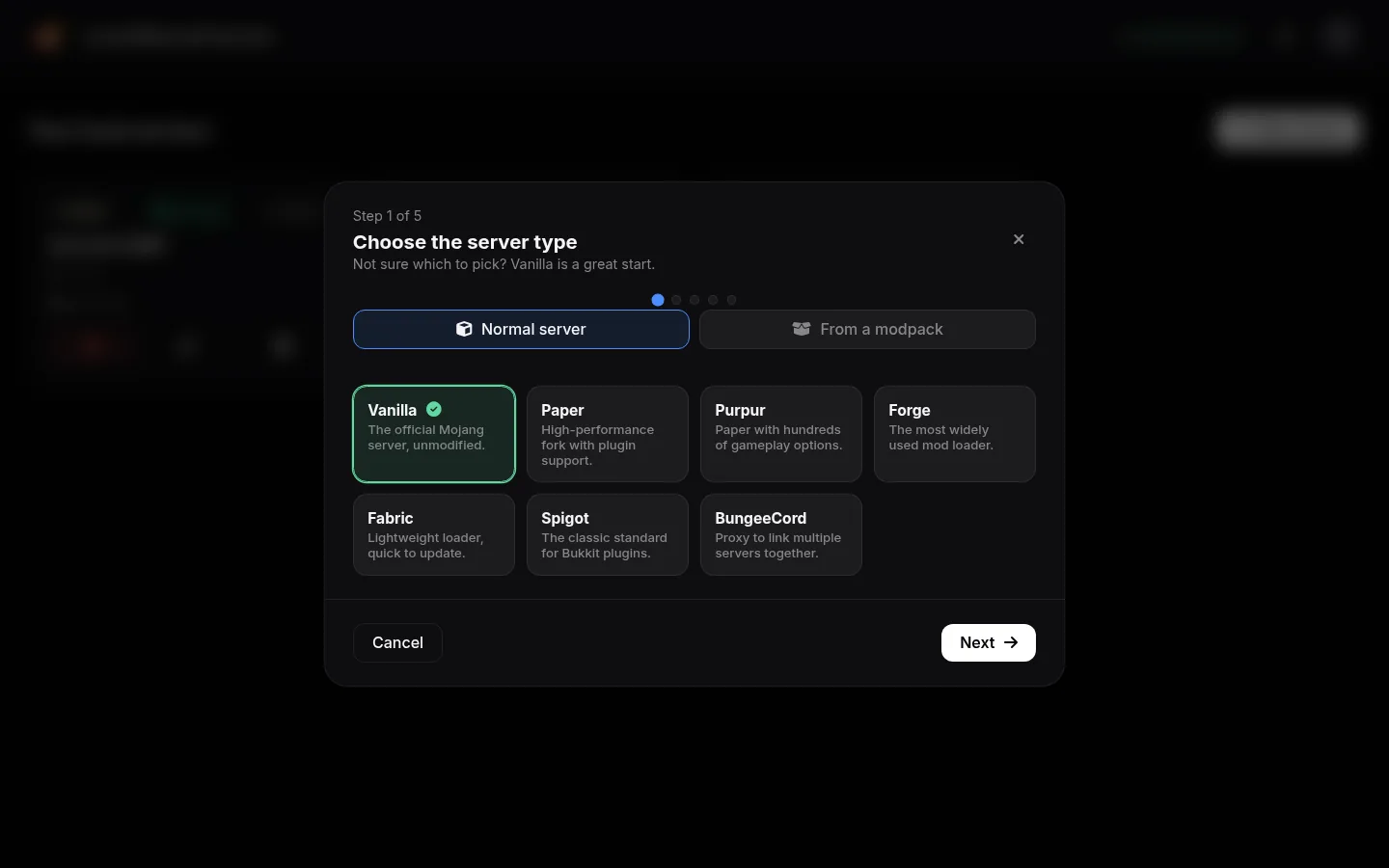
Pick a server type, a Minecraft version, a name and the RAM. The app downloads the right jar and the matching Java runtime, accepts the EULA with you and boots it.
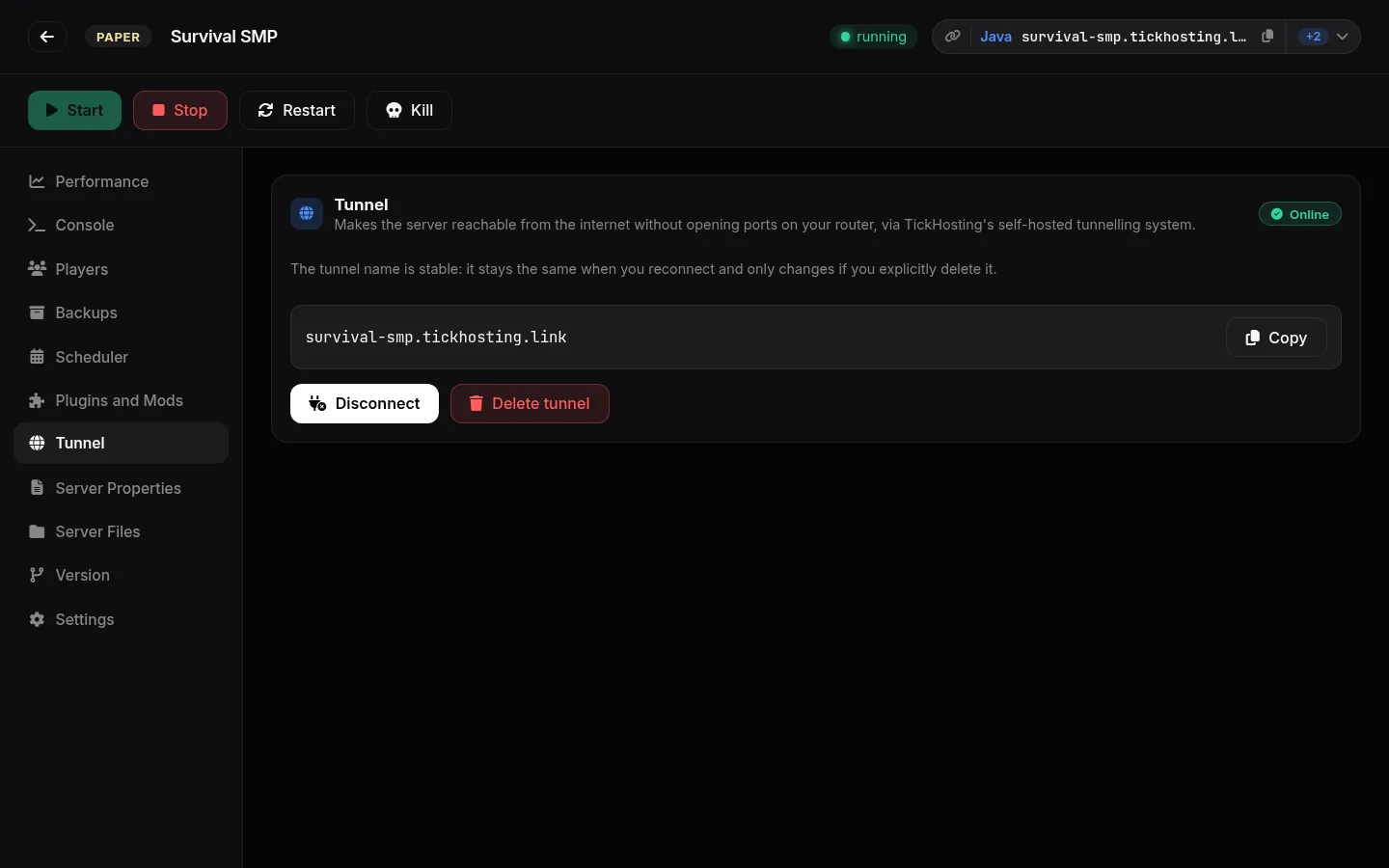
Each server can get a stable public address on TickHosting's self-hosted tunnel network. No port forwarding, no dynamic DNS, no firewall archaeology — copy the address and share it.
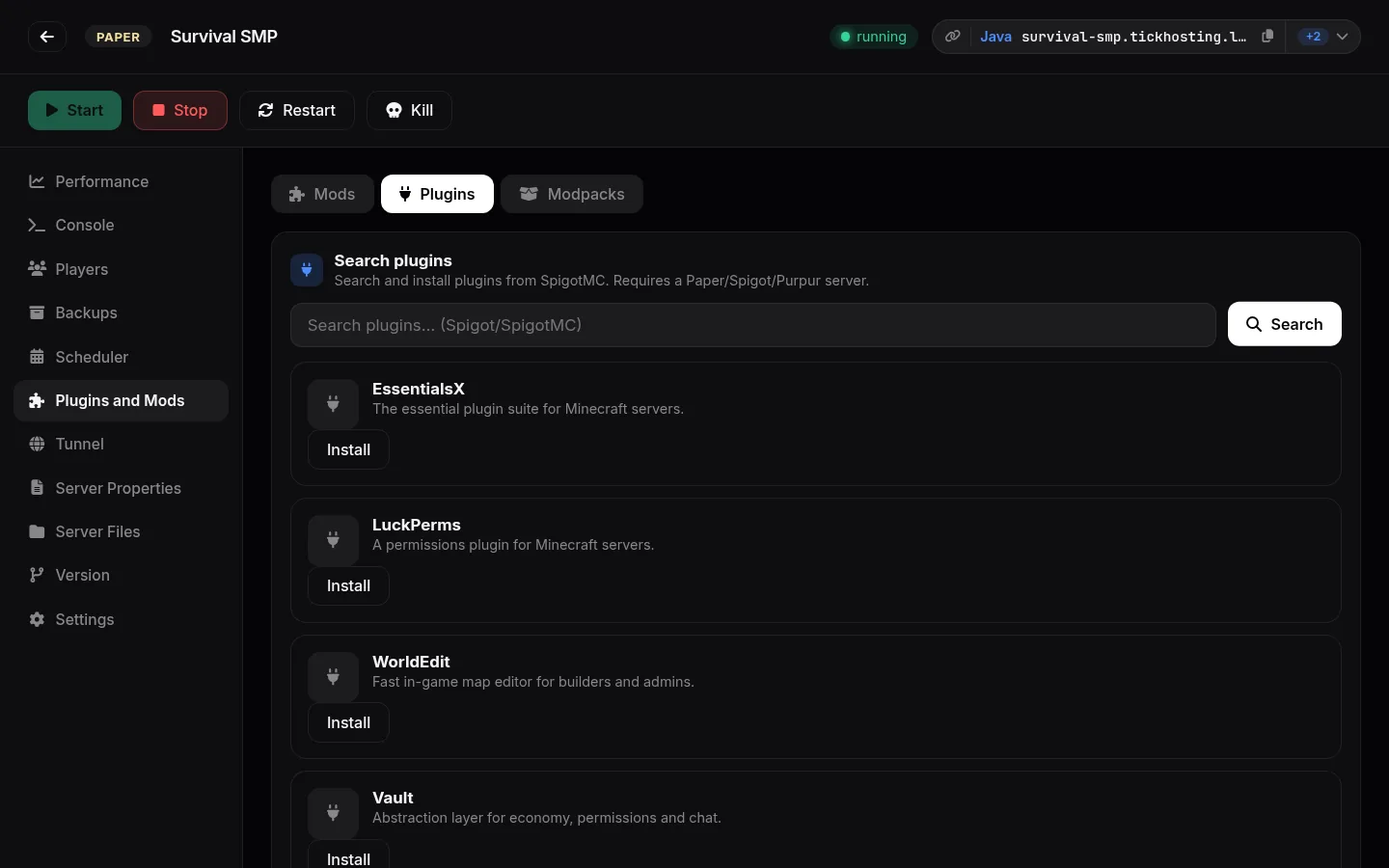
Search SpigotMC for plugins and Modrinth or CurseForge for mods and packs, pick the build that matches your version, and it lands in the right folder. Remove them the same way.
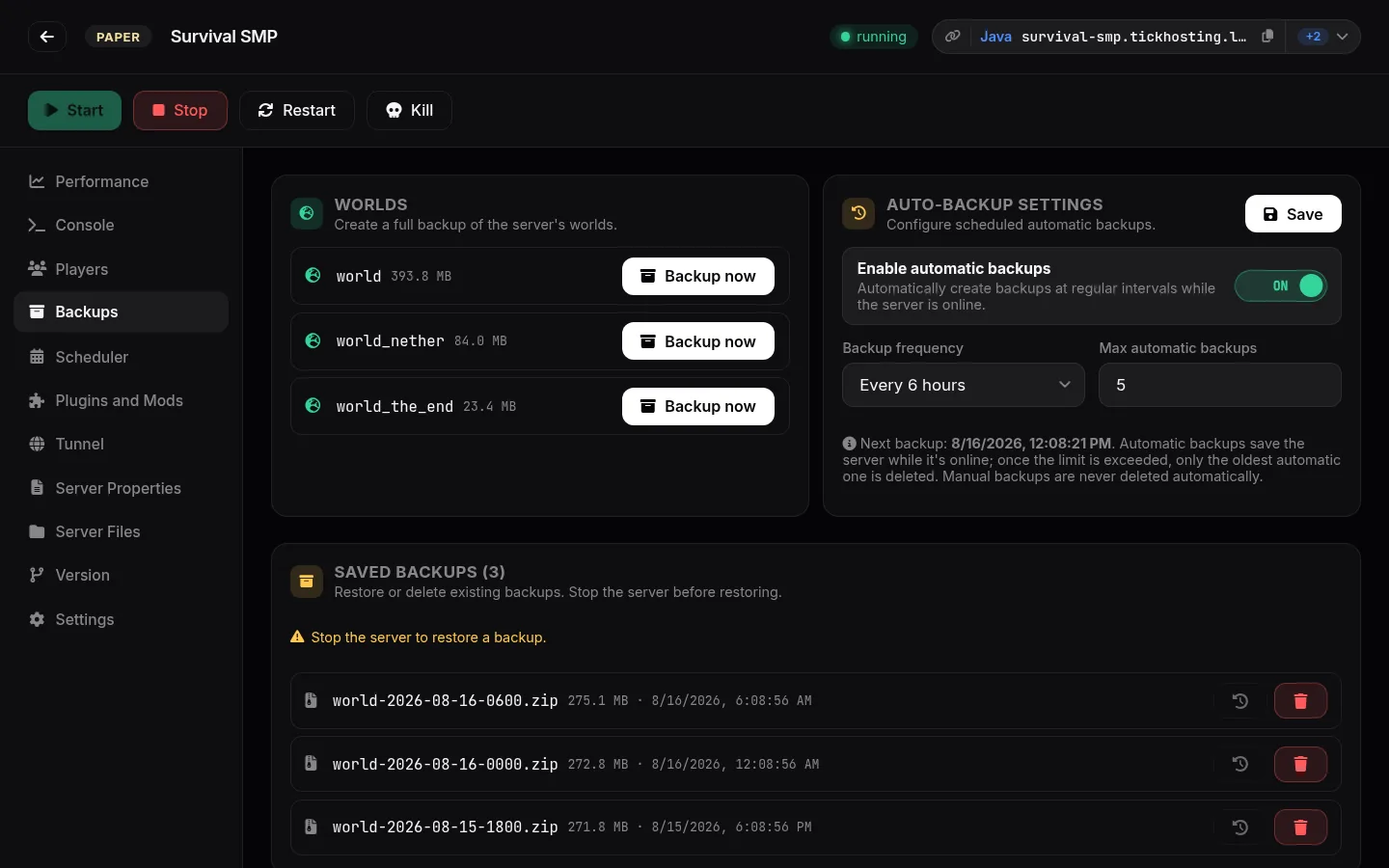
Back up any world on demand, or let the app snapshot it every few hours while the server is online. Old automatic backups rotate out; the ones you made by hand are never deleted.
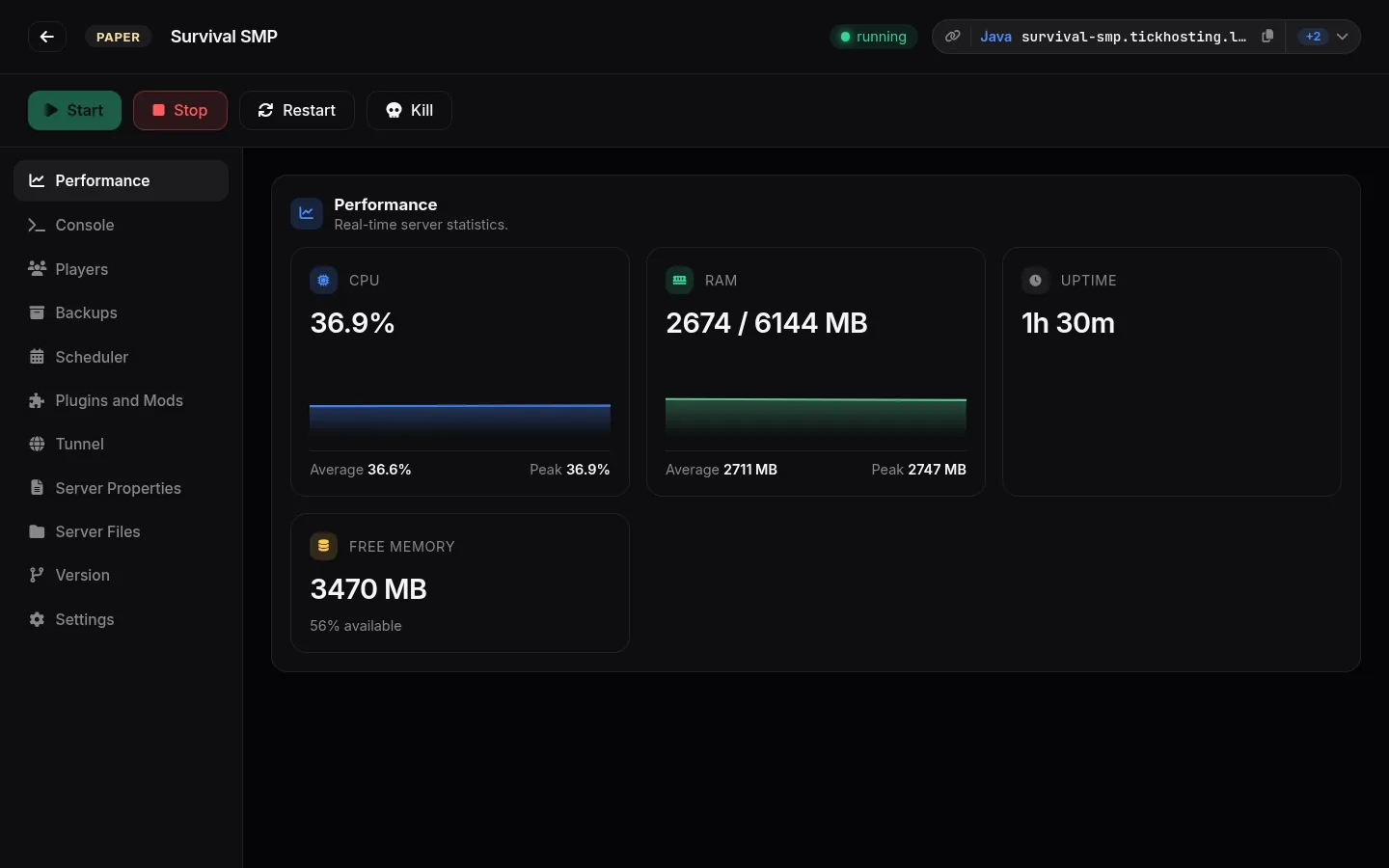
CPU, RAM and uptime update in real time while the server runs. When something needs a change, the built-in file manager and properties editor are right there.
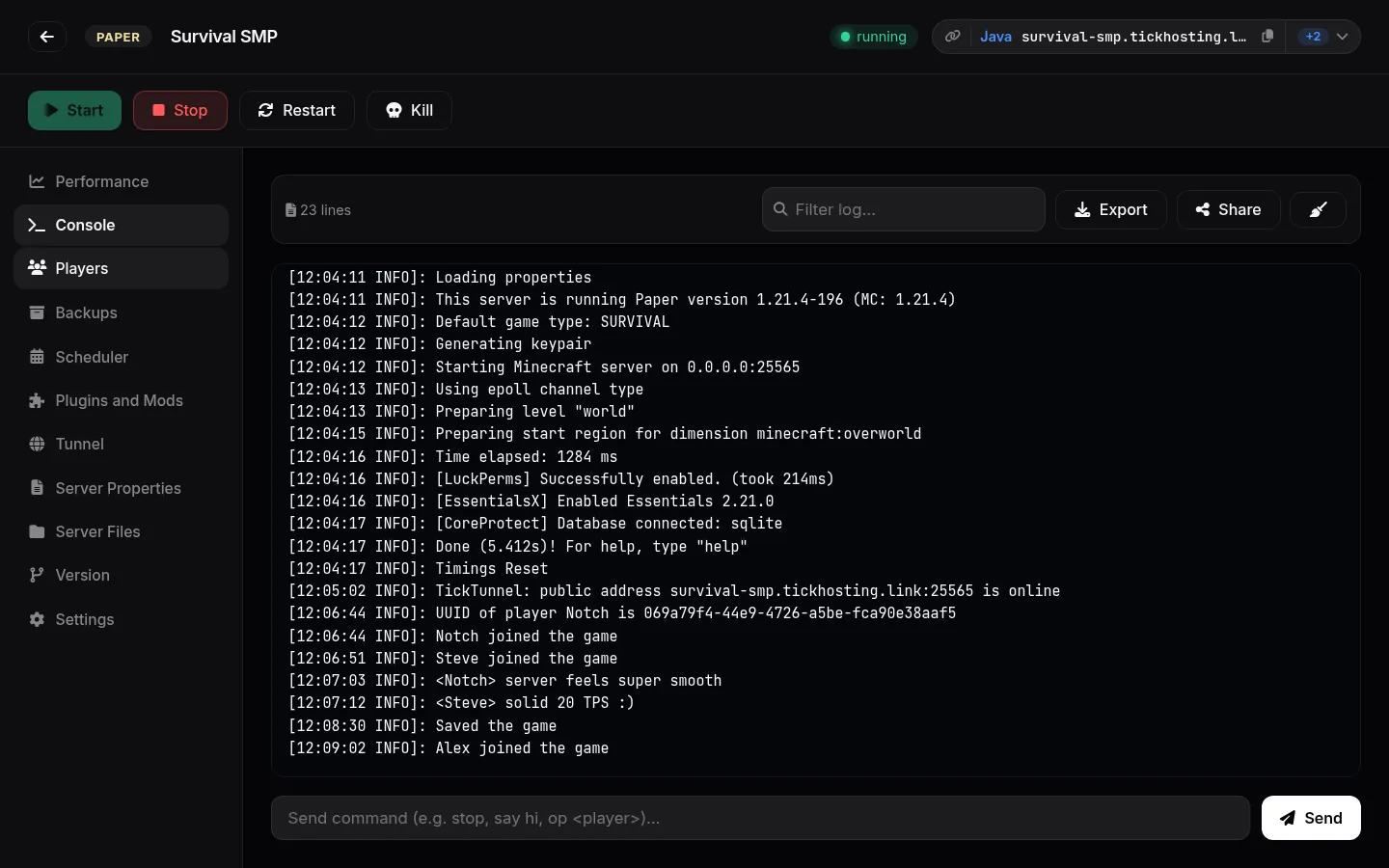
Full colour output, live filtering, command autocomplete, export and one-click log sharing for support.
Online list, ops, whitelist and bans as proper UI — kick, ban or op without remembering command syntax.
Daily restarts, timed starts and shutdowns, so the server is up when your community plays.
Move a server to a newer build or a different loader and reinstall the jar without rebuilding the world.
Signed updates are checked on launch and applied for you — everyone runs the same, current build.
English, Italian, Spanish and German, switchable at any time from the app settings.
Download the build for your system and run it. On Windows it installs per user, so you don't need an administrator.
The app opens your browser once to link your free TickHosting account. That's what unlocks the plugin, mod and modpack catalogue and the tunnel.
Choose type, version, name and RAM. The app fetches the jar and Java, boots the world and hands you the address to share.
Yes. The app, the tunnel and the plugin/mod catalogue are free with a TickHosting account. Your server runs on your own hardware, so there is nothing to bill you for.
No. Enable the tunnel on a server and you get a public address on the TickHosting edge network that forwards traffic to your machine. Your own port forwarding or LAN play keeps working if you prefer it.
No. The app checks which Java version your server needs, uses a compatible one already installed on your system, and downloads a managed runtime when there is not one.
Yes. Create a server of the same type and version, then drop your world folder in through the built-in file manager. The app never rewrites worlds it did not create.
With the desktop app your PC has to be on for people to play, and its bandwidth and CPU are the limit. A hosted server runs 24/7 on TickHosting hardware with DDoS protection. Plenty of people use both: the desktop app to build and test, hosting when the community grows.
From the public TickHosting release repository on GitHub, and every updatable artifact is signed with the key the in-app updater verifies.
Download the app, sign in once, and you're one wizard away from a server your friends can join.